Construction & Trades Workflow Automation: How to Stop Losing Time and Money to Manual Processes
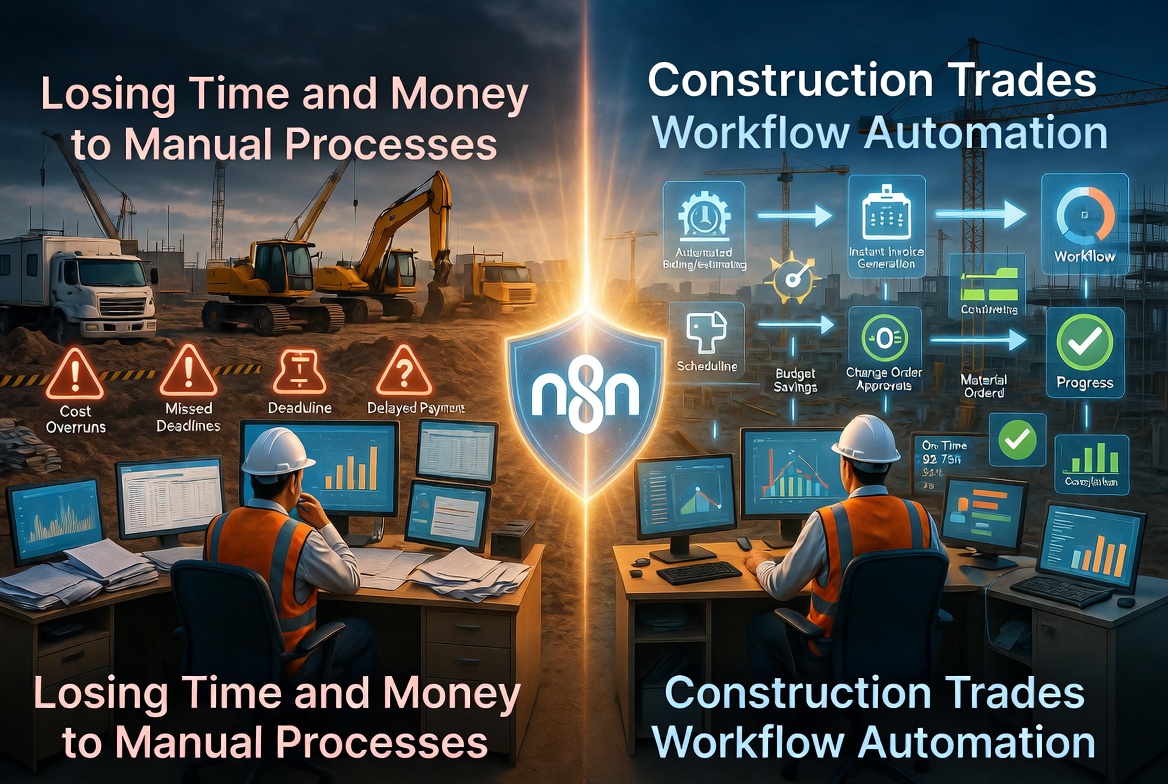
Discover how construction and trades businesses can automate workflows across Procore, Jobber, QuickBooks & more, saving hours daily without writing code.
Picture this: It's Monday morning at a mid-size HVAC company. The crew has already loaded up the vans and headed to the job site, but they're working off last week's job details because the updated work order never made it to the field. The subcontractor who was supposed to pull the electrical permits still hasn't confirmed. Back in the office, the office manager is cross-referencing three separate spreadsheets to piece together last week's job costs. And somewhere in an unread inbox, a hot lead submitted through the company website on Saturday afternoon is sitting cold, waiting for a callback that hasn't happened yet.
This isn't a story about one unlucky company. It's Monday morning for thousands of contractors, HVAC operators, plumbers, electricians, and general contractors across the country.
The numbers back this up. Research consistently shows that only 8.5% of construction projects are completed on time and within budget. Meanwhile, 72% of construction firms still rely on manual consolidation methods for their project reporting. These aren't just operational inconveniences, they represent real dollars walking out the door every single day.
Here's the thing: most construction and trades businesses already use solid software tools. Procore, Buildertrend, Jobber, ServiceTitan, QuickBooks, these platforms are capable and purpose-built for the industry. The problem isn't the tools themselves. The problem is that they don't talk to each other. Data gets entered once in the field, entered again at the office, entered a third time in accounting, and somewhere along the way something gets lost, duplicated, or forgotten.
Construction workflow automation is the bridge that connects these disconnected systems. Instead of relying on humans to move information between tools, automated workflows do it instantly, accurately, and without anyone having to remember. For any business looking to automate a construction business and stay competitive, this isn't a luxury, it's quickly becoming a necessity.
The Hidden Cost of Manual Workflows in Construction and Trades
Manual workflows feel normal in construction and trades businesses because they've always been part of the job. But when you start adding up the actual time and money lost to repetitive administrative tasks, the numbers get uncomfortable fast.
Administrative Overload Is Eating Your Margins
Scheduling, change order processing, and document control are three of the most time-consuming administrative functions in any contracting business, and all three are almost universally handled manually. A project manager who spends two hours a day chasing updated schedules, rerouting change order approvals through email chains, and hunting down the latest version of a submittal log is a project manager who isn't managing the project. That's overhead masquerading as productivity.
Change orders alone are a significant pain point. When a scope change happens in the field, the information needs to flow to estimating, project management, accounting, and the client, often in close to real time. In most businesses, that process involves a phone call, a follow-up email, a manual entry into a spreadsheet, and a reminder to someone to update the accounting system. At every handoff, there's an opportunity for the information to stall, get distorted, or disappear entirely. Trades business automation targets exactly these friction points.
Data Re-Entry Across Disconnected Systems
Consider what happens when an estimator adds a new lead in their estimating tool. That data doesn't automatically appear in the CRM. It doesn't flow into the scheduling tool. It certainly doesn't show up in the accounting software. Instead, someone, usually multiple someones, manually copies that information into each system where it's needed.
This kind of data re-entry across platforms like QuickBooks, Procore, and CRM systems isn't just tedious. It's expensive and error-prone. Studies on data entry error rates suggest that even careful manual entry produces errors at a rate of 1% or more. In a business where a single project might involve hundreds of line items, material costs, labor allocations, and compliance documents, that error rate compounds quickly. The result is financial reporting you can't fully trust, project data that's perpetually out of sync, and accounting reconciliations that stretch into hours every week.
Subcontractor Coordination Chaos
For general contractors and specialty trades businesses that rely on subcontractors, coordination is a constant operational drag. Confirming availability, collecting updated certificates of insurance, verifying license status, communicating schedule changes, all of it typically happens through a tangle of emails, text messages, and phone calls.
Expired COIs are a particularly costly example. When a subcontractor's certificate of insurance lapses and no one catches it until a job is already underway, the liability exposure can be significant. Yet most businesses track COI expiration dates in a spreadsheet, if they track them at all. Construction project management automation can send automatic reminders to subcontractors before expiration, flag expired documents before work is scheduled, and keep a compliance record without anyone having to babysit a spreadsheet.
Leads Falling Through the Cracks
In residential and light commercial trades, speed-to-response is one of the most critical factors in winning new business. Research from the Harvard Business Review found that companies that respond to leads within an hour are nearly seven times more likely to qualify that lead than those who respond even an hour later. For a lead submitted on a Saturday through a web form, waiting until Monday morning for a callback isn't just slow, it's a near-certain loss.
Manual lead handling makes this problem structural. Without automation routing new inquiries immediately to a CRM, triggering a confirmation message to the prospect, and alerting the right salesperson, hot leads simply go cold. Every missed or delayed response is revenue that went to a competitor who happened to respond faster.
Completed Jobs That Don't Get Billed Promptly
One of the most quietly damaging manual workflow failures in construction and trades is delayed invoicing. When the process for moving a completed job to an invoice depends on someone manually closing out a work order, verifying labor hours, and generating a bill in the accounting system, delays are inevitable. A job completed on Thursday might not be invoiced until the following Tuesday, or later.
At scale, this creates a persistent cash flow gap. Equipment sitting idle between jobs costs money. Labor allocated to finished projects while the paperwork catches up costs money. And the longer an invoice sits unsent, the more it starts to feel like a collection issue rather than an operational one. For any business serious about cash flow, the connection between manual processes and billing delays is one of the clearest arguments for trades business automation available.
Automation Use Cases That Are Transforming Construction and Trades Businesses
The following workflow examples represent some of the most impactful automation opportunities available to construction and trades businesses today. Each one targets a specific operational pain point and demonstrates how connecting the tools you already use can eliminate manual steps, reduce errors, and keep projects moving.
1. Lead-to-Estimate Automation
Trigger: New form submission on your website (contact form, quote request, or service inquiry)
Automated Actions:
- Create a new contact record in your CRM (HubSpot, Salesforce, or similar) with all submitted details
- Create a new job or estimate record in Jobber or ServiceTitan, pre-populated with the lead's information
- Send an instant SMS and email to the lead confirming their request was received and that someone will be in touch shortly
- Assign the job to an available estimator and send a calendar invite with the lead's details attached
- Log the prospect in QuickBooks as a new potential customer for pipeline tracking
Response speed is one of the most significant factors in converting inbound leads in the trades. Studies consistently show that responding within the first five minutes dramatically increases the likelihood of winning the job. Most contractors are responding hours later, if at all, because the inquiry sits in an inbox while crews are in the field. This automation ensures every lead gets an immediate, professional response without anyone lifting a finger.
2. Subcontractor Onboarding and Compliance Management
Trigger: A subcontractor is added to a project in Procore or Buildertrend
Automated Actions:
- Send the subcontractor a professional onboarding email containing a compliance checklist (valid contractor's license, Certificate of Insurance, completed W-9, and any required safety certifications)
- Log the COI expiration date in a centralized tracking spreadsheet or database
- Schedule an automated 30-day reminder to notify both the sub and the project manager before the COI expires
- Notify the project manager automatically when compliance documents are uploaded and verified
- Send a follow-up message to the subcontractor if no documents have been submitted within five business days
Subcontractor compliance is one of the most documentation-heavy and liability-sensitive processes in construction. Missing or expired COIs can void insurance coverage mid-project. This workflow ensures nothing slips through the cracks and removes the need for a coordinator to manually track dozens of expiration dates across multiple active projects.
3. Daily Field Report and Job Costing
Trigger: A crew member submits a daily log via a mobile form (recording hours worked, materials used, and task progress)
Automated Actions:
- Automatically calculate actual labor costs based on logged hours and pull them against the original budget for that job phase
- Update the job cost tracker in real time so project managers have current data without waiting for end-of-week reports
- Flag the project manager immediately if labor or material costs exceed a defined budget threshold
- Sync logged hours directly to your payroll system (such as Gusto or ADP) to eliminate duplicate data entry
- Send the project manager a daily summary email with a snapshot of hours, costs, and any budget alerts
Job costing accuracy depends on timely data. When field reports are submitted on paper or consolidated manually at the end of the week, cost overruns are often identified too late to course-correct. This workflow gives project managers the information they need the same day it's generated.
4. Invoice and Payment Follow-Up
Trigger: A job stage is marked "Complete" in your project management tool (Procore, Buildertrend, CoConstruct, or similar)
Automated Actions:
- Generate a finalized invoice in QuickBooks using the job's details and send it to the client by email automatically
- Set a 7-day follow-up reminder that triggers if the invoice remains unpaid, sending a polite payment reminder to the client
- Escalate to a 14-day follow-up with a firmer reminder and a notification to your accounts receivable contact
- Update the CRM record to reflect the status "Awaiting Payment" so your team has full visibility into outstanding balances
Delayed invoicing is one of the most common causes of cash flow problems in the trades. When billing is dependent on someone remembering to generate an invoice after a job wraps up, days or even weeks can pass before the client is ever asked to pay. This automation closes that gap entirely.
Real-World Results: What Contractors Are Seeing After Automating
Talking about automation in the abstract is one thing. Understanding what it actually produces in day-to-day operations is another. Across construction and trades businesses that have implemented workflow automation, ranging from two-person operations to mid-size general contractors, a consistent set of outcomes tends to emerge.
Estimating teams are reclaiming 8 to 10 hours per week that were previously consumed by data re-entry. When a lead comes in through a website form and someone has to manually copy that information into a CRM, then into a field service platform, then into an accounting system, those minutes add up fast. Multiply that across 20 or 30 leads per week and you're looking at a significant portion of a full workday gone to typing the same information into different screens.
Response time to new leads has dropped from hours to under two minutes for contractors using lead-to-estimate automation. In a competitive market where homeowners and commercial clients often reach out to three or four contractors simultaneously, being the first to respond with a professional confirmation, even an automated one, creates a meaningful advantage.
Subcontractor compliance documentation errors have dropped significantly at companies that have moved from spreadsheet-based tracking to automated onboarding workflows. Expired COIs get flagged before they become a liability issue, and subcontractors receive consistent, timely reminders rather than relying on a coordinator to track every renewal date manually.
Cash flow has improved measurably because invoices go out the day work is completed rather than three to seven days later. For a contractor running multiple projects simultaneously, that timing difference can represent tens of thousands of dollars sitting in accounts receivable longer than necessary.
Project managers are spending less time on status updates and administrative follow-up, freeing them to focus on actual project oversight, coordinating crews, managing quality control, and handling the issues that genuinely require human judgment.
The results aren't theoretical. A mid-size roofing contractor based in Central Texas described the impact this way:
> "Before we set up our automations, my office manager was spending her whole Monday morning just catching up on what happened the previous week, entering field reports, chasing down subcontractor paperwork, and generating invoices for jobs that had been done for days. Now most of that happens automatically. We estimate we're saving at least 12 hours a week across the team, and we're actually getting paid faster because the invoices go out the same day a job closes."
Those 12 hours per week represent more than just time savings. For a business owner or operations manager, that's capacity to pursue more bids, handle more projects, or simply run the business with less stress.
For contractors who are evaluating construction automation tools, the most important thing to understand is that you don't need to automate everything at once. The businesses seeing the strongest results typically started with one or two high-impact workflows, usually lead response and invoicing, and expanded from there once they saw how the process worked.
The goal of tools that let you automate construction workflows isn't to replace the people who run your business. It's to remove the repetitive, low-judgment tasks that consume their time so they can focus on the work that actually requires their expertise.
Introducing n8n: The Workflow Automation Tool Built for Businesses Like Yours
If you've never heard of n8n, you're not alone, but by the end of this section, you'll understand exactly why it's becoming one of the most talked-about tools among construction companies and trade businesses that are serious about working smarter.
So, what is n8n? In plain terms, n8n (pronounced "n-eight-n") is a workflow automation platform. Think of it as a digital connector that sits between all the software tools your business already uses and makes them talk to each other automatically. If you've heard of Zapier or Make (formerly Integromat), n8n works on a similar principle, but it's more powerful, far more flexible, and gives you options that tools like Zapier simply don't offer.
Here's the core idea: Instead of your team manually copying information from one system to another, entering the same data in multiple places, or remembering to follow up at the right time, n8n handles all of that automatically. You define the rules once, and n8n does the work every time, 24 hours a day, 7 days a week, without forgetting a single step.
No Coding Required
One of the biggest misconceptions about automation tools is that you need a software developer to set them up. With n8n, that's not the case. The platform uses a visual, drag-and-drop workflow builder where you can see your entire automation laid out on a canvas, step by step. You connect blocks together, each block representing an action or a trigger, and n8n handles the logic behind the scenes. If you can draw a flowchart, you can build an n8n automation.
For teams that do have technical staff or want to go deeper, n8n also supports custom code and advanced logic. But for most construction and trades workflows, you won't need to write a single line of code.
Connects to the Tools You Already Use
n8n offers 400+ pre-built integrations covering the platforms that construction and trades businesses rely on every day. That includes field service management platforms like Jobber and ServiceTitan, accounting software like QuickBooks, project management platforms like Procore, communication tools like Slack, Gmail, and Twilio for SMS, and productivity tools like Google Sheets and Google Calendar. If a platform has an API or supports webhooks, which most modern business software does, n8n can connect to it.
See It in Action: A Real Example
Here's how a typical n8n construction automation might work in practice. Imagine your team creates a new estimate inside Jobber. The moment that estimate is saved, n8n detects it and immediately kicks off a chain of automated actions: it creates a follow-up task in your CRM, fires off a personalized email to the assigned sales lead reminding them to check in with the prospect within 48 hours, and logs the opportunity, including the estimate value and client details, into a Google Sheets tracker that your project manager reviews each morning. No one on your team had to do anything. The estimate was created, and everything else happened automatically.
This is exactly the kind of n8n construction automation that saves hours every week and ensures nothing falls through the cracks.
Ready-Made Templates for Construction and Trades
Building automations from scratch can take time, even with a visual builder. That's why n8nme.com exists. It's a dedicated resource site offering pre-built n8n workflow templates designed specifically for construction companies and trade businesses. Instead of starting with a blank canvas, you start with a workflow that's already structured for your industry, and you simply adapt it to your specific tools and processes.
Start Automating Your Construction Business Today
Every hour your team spends on manual data entry, chasing down approvals, or copying information between systems is an hour they're not spending on billable work, client relationships, or winning the next job. Across an entire company, those hours add up to a significant and very real cost, in time, in revenue, and in missed opportunities.
Workflow automation isn't about replacing your people. It's about removing the tedious, repetitive work that slows them down so they can focus on what actually moves the business forward. Faster follow-up means more jobs won. Fewer data gaps mean fewer costly mistakes on-site. Better visibility across your pipeline means smarter decisions at every level of the business.
The good news is that you don't have to build any of this from scratch. Register for free now to browse a growing library of pre-built automation workflows designed specifically for construction companies and trade businesses. Whether you're running a small plumbing operation or managing a multi-crew general contracting firm, you'll find templates built around the tools and challenges you deal with every day. You can start for free and adapt any template to fit the specific software and processes your business already uses.
The contractors who pull ahead in the next five years won't just be the ones with the best crews, they'll be the ones who built smarter operations behind the scenes. Start building yours today.