Marketing Agency Workflow Automation: How Smart Agencies Are Reclaiming 10+ Hours a Week

Learn how marketing agency workflow automation can save 10+ hours weekly. Discover tools, use cases, and how n8n makes automating agency tasks affordable.
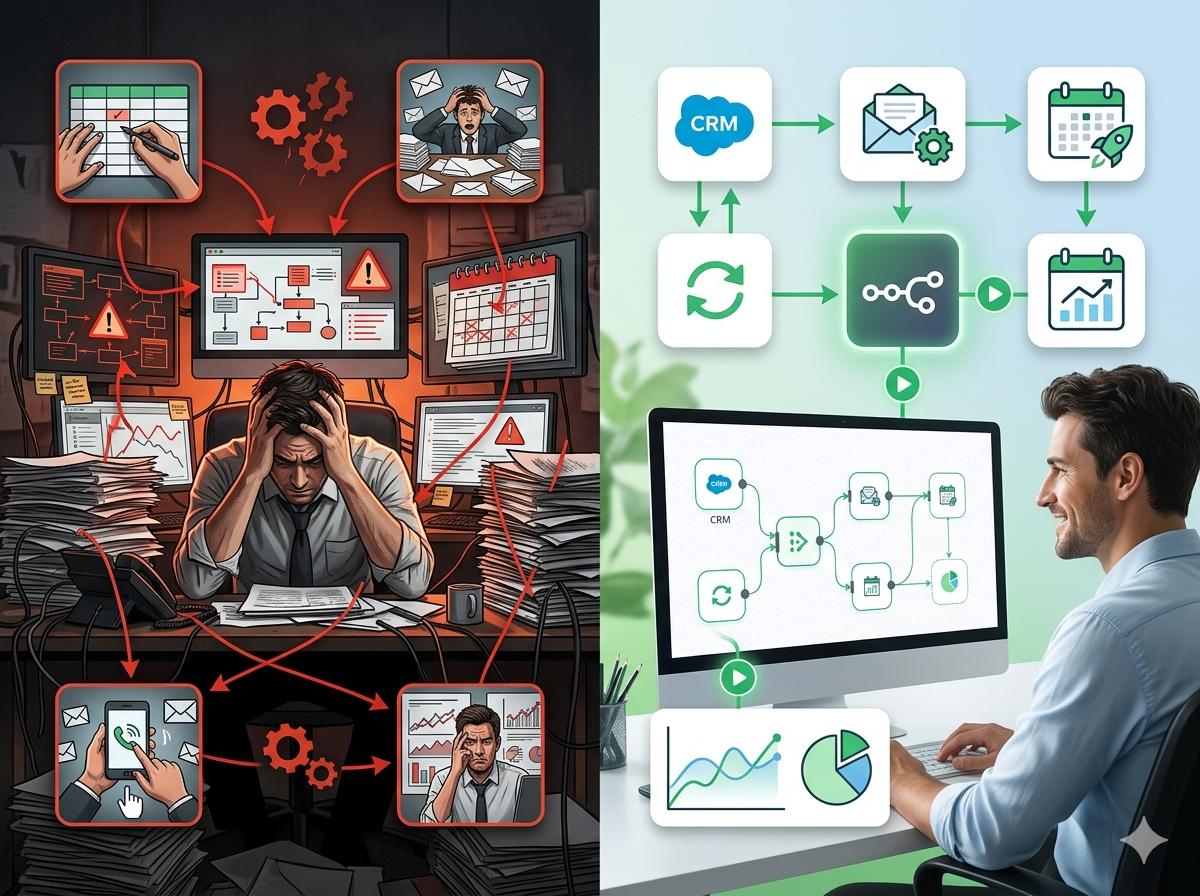
There's a moment every account manager at a marketing agency knows well. It's 4:45 PM on a Friday, and a client wants their weekly performance report by end of day. You open five different browser tabs, Google Analytics, Meta Ads Manager, HubSpot, a LinkedIn campaign dashboard, and a spreadsheet that someone started building three months ago and nobody fully understands anymore. You copy numbers, paste them into a slide deck, double-check the formulas, format the charts, write a summary paragraph, and finally hit send at 6:15 PM. You've just spent 90 minutes on a task that delivers zero strategic value.
Multiply that by four clients. Then multiply it by 52 weeks. That's not a workflow problem, that's a business problem. Marketing agencies are uniquely positioned to be creative, strategic, and fast-moving, yet most of them are quietly hemorrhaging hours on repetitive, low-value manual work that could be automated in an afternoon. Client onboarding emails sent one by one. Approval requests chased over Slack and then over email and then over phone. Social media posts that sit in a Google Doc waiting for someone to manually copy them into a scheduling tool. Campaign alerts that arrive too late because nobody set up a system to send them at all.
This post is for agency owners, operations managers, and team leads who are tired of watching talented people do robot work. We'll walk through exactly where the time is going, which workflows are the easiest to automate first, and how tools like n8n are making it possible for agencies of every size to build real automation, without needing a developer on staff or an enterprise software budget.
The Hidden Cost of Manual Work in Marketing Agencies
Marketing agencies operate on thin margins and tight timelines. When a project goes over scope or a team member spends an unexpected afternoon rebuilding a report, the financial impact is immediate and real. But most agency leaders dramatically underestimate just how much time is being lost to manual, repetitive tasks, because that time is distributed across dozens of small moments throughout the week.
Consider reporting alone. A typical mid-sized agency managing ten to fifteen client accounts might spend anywhere from three to six hours per week per account manager just compiling performance data and formatting it for client-facing documents. That's not analysis time, that's copy-paste time. Data aggregation across platforms like Google Analytics 4, Meta Ads, Google Ads, and LinkedIn means logging into multiple dashboards, exporting CSVs, reconciling numbers that don't quite match, and praying that the spreadsheet formulas still work.
Then there's client onboarding. Every new client engagement involves a predictable sequence of tasks: sending welcome emails, setting up project management boards, requesting access to ad accounts and analytics properties, scheduling kickoff calls, sharing intake questionnaires, and updating the CRM. These steps are almost always done manually, and they almost always involve some combination of forgetting a step, duplicating effort between account managers, and creating inconsistent client experiences.
Approval workflows are another silent killer. Creative assets, ad copy, social media posts, landing page content, typically need to go through a client review and approval cycle before going live. Without automation, this process looks like: a designer saves files to a shared drive, sends a Slack message, someone sends an email, the client responds in a third channel, approvals get missed, revisions get made on the wrong version, and the whole thing repeats. The coordination overhead is enormous.
Finally, there's campaign monitoring. Agencies are responsible for catching performance anomalies, a campaign that's burning budget too fast, a landing page with a spike in bounce rate, an ad set that stopped delivering, often before the client notices. Without automated alerts, this requires someone to manually check dashboards every day, which rarely happens as consistently as it should.
The cumulative cost of all this manual work isn't just measured in hours. It's measured in strategic capacity lost, errors introduced, client relationships strained by slow turnaround times, and talented team members quietly burning out on work that a computer could do perfectly well.
4 Marketing Agency Workflows That Are Begging to Be Automated
Not all automation is created equal. The best place to start is with workflows that are high-frequency, rule-based, and currently causing the most friction. Here are four that almost every marketing agency should have running on autopilot.
1. Automated Client Reporting
Client reporting is the single biggest time sink for most marketing agencies, and it's also one of the most automatable workflows that exists. The core process is almost entirely rule-based: pull data from Platform A, pull data from Platform B, combine it in a standard format, and deliver it to the client on a schedule.
With n8n, you can build a workflow that runs every Monday morning, automatically pulls performance metrics from Google Analytics 4 via the GA4 API, fetches ad spend and ROAS data from the Meta Ads API and Google Ads API, writes the results into a Google Sheet or Airtable database, generates a formatted summary, and sends it to the client via email, all without anyone touching a keyboard.
For agencies with multiple clients, this workflow can be parameterized so a single automation handles all accounts, pulling from different ad accounts and analytics properties based on a configuration table. What used to take an account manager 90 minutes per client now takes zero minutes per client. The team's energy shifts from data collection to data interpretation, which is what clients are actually paying for.
You can even add a Slack notification step so the account manager gets a heads-up the moment the report is sent, with a summary of the key numbers. No more Friday afternoon scrambles.
2. Lead Capture & CRM Sync
Marketing agencies often run lead generation campaigns for their clients, and for themselves. Yet the process of capturing a lead from a web form, enriching that data, and getting it into the right CRM field, assigned to the right owner, and followed up on promptly is shockingly manual at many agencies.
A typical lead workflow without automation looks like this: a contact fills out a form on the website, the form submission lands in an email inbox, someone checks the inbox a few hours later, manually enters the contact into HubSpot or Salesforce, sends a welcome email from their personal inbox, and adds a task in the project management tool. By that point, the lead is anywhere from two to eight hours old.
With n8n, this entire sequence can be triggered the moment a form is submitted. The workflow captures the lead data from Typeform, Webflow, or a native form, enriches it using a service like Clearbit or Hunter.io, creates the contact in HubSpot with all the correct field mappings, triggers an automated follow-up email via Mailchimp or Gmail, creates a deal in the CRM pipeline, notifies the right team member in Slack, and logs everything in a Google Sheet for tracking. The whole sequence completes in under 30 seconds. Response time improves dramatically, and nothing falls through the cracks.
3. Social Media Scheduling & Approval Workflows
Content approval workflows are notoriously messy. Social media content gets drafted, reviewed internally, sent to the client for approval, revised, re-approved, and scheduled, a process that should take hours but often takes days because the handoffs are broken.
A well-designed automation workflow can streamline this considerably. When a content creator marks a post as "ready for review" in Airtable or Notion, n8n can automatically send an approval request to the internal reviewer via Slack with a direct link to the content. Once the internal reviewer approves, the workflow sends a client-facing approval email with a simple approve/reject link. When the client clicks approve, the workflow automatically queues the post in a scheduling tool like Buffer or publishes it directly via the platform's API. If the client requests changes, the workflow notifies the content creator in Slack with the feedback attached.
Every step is logged. Nothing requires someone to remember to send a message or check a spreadsheet. Approval cycle times that typically run two to three days can compress to a few hours simply because the friction in the handoffs is eliminated. For agencies managing high-volume social calendars across multiple clients, this is transformative.
4. Campaign Performance Alerts
One of the most valuable, and most neglected, automation opportunities for marketing agencies is proactive campaign monitoring. Most teams rely on passive dashboard-checking to catch performance issues, which means problems often go undetected for days.
With n8n, you can build a monitoring workflow that runs on a schedule, every hour, every morning, or in real time depending on the platform, checks key campaign metrics against predefined thresholds, and sends an alert the moment something falls outside acceptable ranges. Examples include: Meta ad spend pacing 30% ahead of daily budget by noon, Google Ads click-through rate dropping below a target threshold, a campaign pausing unexpectedly, or a landing page's conversion rate dropping significantly compared to the prior seven-day average.
These alerts can be routed to Slack with enough context for the account manager to act immediately, which campaign, which metric, what the current value is, and what the expected value should be. You can even build conditional logic so high-severity issues (like a campaign accidentally pausing entirely) trigger an immediate notification, while lower-priority observations (like a slight uptick in CPC) get bundled into a daily summary digest. Clients notice fewer problems, issues get resolved faster, and the agency looks proactive rather than reactive.
Why Most Marketing Agencies Are Still Doing This by Hand (And Why That's Changing)
If workflow automation is so valuable, why aren't more agencies already doing it? The honest answer is that the barriers have been real, even if they're rapidly disappearing.
For years, automation tools required either significant technical expertise or significant budget. Building custom integrations between platforms meant writing code, maintaining APIs, and employing a developer or systems integrator to keep things running. Enterprise workflow platforms like Workato or MuleSoft were priced for large organizations, not twelve-person agencies. Agencies mostly concluded that automation was something bigger companies did, and got on with their manual processes.
Zapier changed that equation somewhat, it made basic integrations accessible to non-technical users, but it also has meaningful limitations. Its pricing scales steeply with usage, complex multi-step logic gets expensive quickly, and some of the deeper integrations agencies need (custom API calls, conditional branching, data transformation) either require a higher tier or aren't possible at all.
The emergence of no-code and low-code automation tools over the last three years has fundamentally shifted what's possible for small and mid-sized agencies. Today, platforms like n8n give non-developers the ability to build sophisticated, multi-step automation workflows with visual interfaces, while still offering the flexibility to write custom JavaScript or call any API when needed. You no longer need to choose between "simple but limited" and "powerful but expensive."
Changing client expectations are also accelerating adoption. Clients increasingly expect real-time reporting dashboards, faster turnaround on creative reviews, and instant responses when campaign performance changes. Agencies that can't deliver these capabilities are finding it harder to compete with those that can. Automation is no longer a nice-to-have efficiency gain, it's becoming a prerequisite for delivering the service level clients expect.
Perhaps most importantly, a new generation of agency operations professionals is entering the workforce with a default assumption that repetitive processes should be automated. The question is shifting from "should we automate this?" to "what's the fastest way to automate this?"
How n8n Solves Marketing Agency Automation Without the Enterprise Price Tag
n8n is an open-source workflow automation platform that gives marketing agencies the power to connect any application, automate any process, and build custom logic, without needing a software development team or an enterprise-level budget.
Where Zapier charges per task and limits you to linear, single-path workflows, n8n lets you build branching, conditional, multi-step automations with full control over data transformation at every step. Where Make (formerly Integromat) offers visual workflow building but still carries per-operation costs that add up, n8n's self-hosted option gives you unlimited runs at a flat infrastructure cost, typically just the cost of a small cloud server.
For marketing agencies specifically, n8n's integration library covers the entire stack:
- Ad platforms: Google Ads, Meta Ads (Facebook/Instagram), LinkedIn Ads, TikTok Ads
- Analytics: Google Analytics 4, Google Search Console
- CRM & marketing automation: HubSpot, Salesforce, Mailchimp, ActiveCampaign, Klaviyo
- Productivity & communication: Slack, Gmail, Google Sheets, Airtable, Notion, Asana, ClickUp
- Content & social: Buffer, Twitter/X API, and direct platform APIs
- Data & enrichment: Clearbit, Hunter.io, OpenAI (for AI-assisted content and reporting)
When n8n doesn't have a native integration for a specific tool, you can connect to any REST API using the HTTP Request node, which means practically any modern SaaS tool is connectable. This is enormously valuable for agencies that have built their stack around niche tools or proprietary platforms.
n8n offers two deployment options: cloud-hosted (managed by n8n, easy setup, fixed monthly pricing) and self-hosted (you run it on your own infrastructure, giving you complete data control and unlimited workflow executions). For agencies managing sensitive client data or running high-volume automations, the self-hosted option is particularly compelling from both a compliance and cost perspective.
The visual workflow editor is genuinely approachable for non-developers. Most agency operations managers can build their first working workflow within a few hours of exploration. For more complex automations, like multi-client reporting systems or AI-enhanced campaign monitoring, there's a growing library of community-contributed templates and pre-built workflows that give you a working starting point rather than a blank canvas.
Compared to Zapier, n8n typically delivers equivalent functionality at 50-80% lower cost once you factor in per-task pricing on complex workflows. For a mid-sized agency running several active automations, that difference can be hundreds of dollars per month.
Getting Started: Your First Marketing Agency Automation in Under an Hour
The best way to start with automation is to pick one painful, repetitive task and solve it completely before moving to the next one. Don't try to automate everything at once. Pick the workflow that's costing your team the most time right now, and build that first.
For most agencies, the easiest starting point is either client reporting or lead capture, both have clear inputs, clear outputs, and immediate visible impact.
Here's a practical starting path:
Step 1: Map the workflow you want to automate. Write down every step, including who does it, what tools they use, and how long each step takes. This doesn't need to be formal, a bullet list is fine.
Step 2: Identify the trigger. Every automation starts with a trigger event. Is it a time-based schedule (every Monday at 8 AM)? A form submission? A status change in your project management tool? Identifying the trigger is the foundation of the workflow design.
Step 3: Sign up for your n8n instance. Register for free, no infrastructure setup required. The free tier is generous enough to build and test your first workflows.
Step 4: Find a pre-built template. Rather than starting from scratch, look for an existing workflow template that's close to what you need. N8Nme.com has a growing library of pre-built workflows specifically designed for marketing agency use cases, including client reporting, lead sync, approval workflows, and campaign monitoring. These templates are ready to use and well-documented, so you can get a working automation running in far less time than building from scratch.
Step 5: Customize and test. Adapt the template to your specific tools, field names, and business logic. Run test executions to verify the data flows correctly before activating the live workflow.
Step 6: Monitor and iterate. n8n provides execution logs so you can see exactly what happened in each workflow run. Use those logs to catch edge cases and refine your automation over time.
Most agency teams who take this approach have their first automation running within a single afternoon. Within a week, they typically have two or three. Within a month, the question becomes "what else can we automate?" rather than "should we automate anything at all?"
Ready to Stop Doing Robot Work?
If your team is spending hours every week on reporting, data entry, client onboarding, or chasing approvals, you're not running a marketing agency at full capacity, you're running a manual processing operation that happens to also do marketing.
The agencies that are winning right now are the ones that have systematically automated the repetitive work so their strategists, creatives, and account managers can spend their time on the things that actually drive results for clients.
n8n makes that possible without requiring a technical team or an enterprise budget. And you don't have to figure it out from scratch.
Register for free to explore pre-built marketing agency automation workflows, ready-to-deploy templates for client reporting, lead capture, social media approval, campaign alerts, and more. Each workflow comes with documentation and setup guidance so you can get up and running fast.
Your team's time is too valuable to spend on copy-paste. Let the automation handle the repetitive work, and get back to doing what your agency does best.