Marketing Agency Workflow Automation: How to Stop Wasting Hours on Tasks That Should Run Themselves
Learn how marketing agency workflow automation can eliminate repetitive reporting, streamline client onboarding, and save your team hours every week.
Marketing agencies live and die by their ability to execute. Whether you're managing five clients or fifty, the operational machinery behind client reporting, campaign tracking, social media scheduling, and invoicing can quietly consume hours every week, hours that could be spent on strategy, creative work, or winning new business. The painful truth? Most agencies are still doing a surprising amount of this work manually.
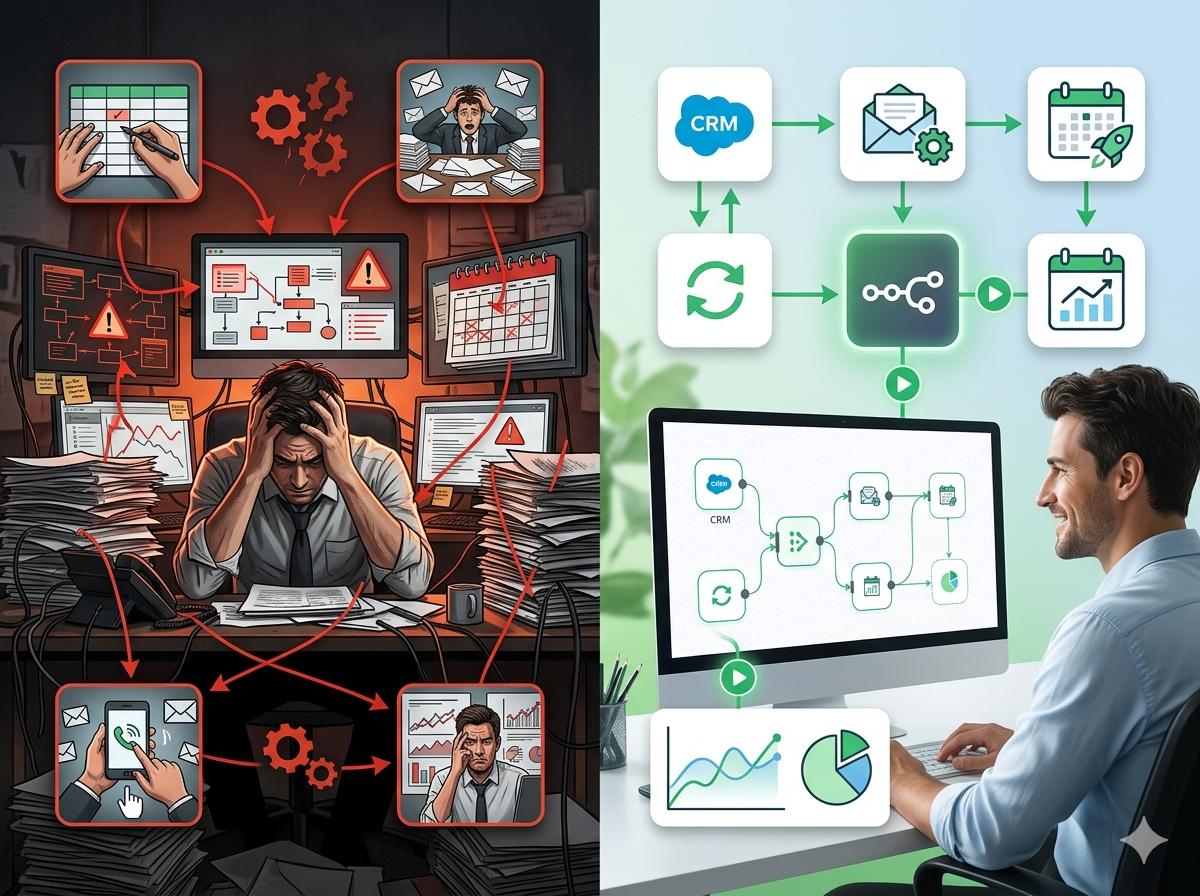
This isn't a technology problem. Most agencies already have the tools: project management software, CRM systems, social media platforms, ad dashboards, and accounting tools. The problem is that none of these tools talk to each other automatically. Someone, usually an account manager or an overworked operations person, is copying data between platforms, screenshotting dashboards, pasting numbers into spreadsheets, and sending the same update emails week after week.
That's exactly the gap that workflow automation fills. In this post, we'll walk through the most common operational pain points marketing agencies face, show you what automation looks like in practice, and explain why platforms like n8n are becoming the go-to choice for agencies that want real flexibility without the limitations of off-the-shelf tools.
The Real Cost of Manual Work in Marketing Agencies
Before diving into solutions, it's worth being honest about what manual processes actually cost your agency, not just in time, but in reliability, scalability, and team morale.
Repetitive Client Reporting Is Killing Your Account Managers
Client reporting is one of the most universally dreaded tasks in any agency. Every week or month, account managers pull data from Google Analytics, Meta Ads Manager, LinkedIn Campaign Manager, Google Search Console, and whatever else is in the client's tech stack. They paste it into a spreadsheet or a slide deck, format it to look presentable, write a summary paragraph, and send it off.
For a single client, this might take 90 minutes. For an agency managing 15 clients, that's over 20 hours a month, half a work week, spent on a task that's almost entirely data transfer and formatting. And if a number gets copied wrong, or a report goes out late, the client notices.
Client Onboarding Is Inconsistent and Time-Consuming
Every new client means a fresh checklist of tasks: sending intake questionnaires, setting up folders, creating project management entries, provisioning access to shared tools, scheduling kickoff calls, and sending welcome emails. When this is done manually, steps get missed. A client doesn't receive the onboarding questionnaire. The project management board isn't set up until week two. The team lead doesn't get the brief until after the kickoff call.
Inconsistent onboarding doesn't just waste time, it damages trust at exactly the moment when a client is most focused on whether they made the right decision hiring you.
Lead Tracking Falls Through the Cracks
Leads come in from multiple places: your website contact form, LinkedIn DMs, referrals, inbound calls, and networking events. If you're manually entering these into your CRM, or worse, tracking them in a shared spreadsheet, you're already losing deals. Leads go cold while they wait to be entered. Follow-up reminders don't get set. And when a deal is won, nobody automatically triggers the onboarding process.
High-Impact Automation Use Cases for Marketing Agencies
Let's get specific. Here are the workflows that deliver the most measurable time savings and reliability improvements for marketing agencies.
1. Automated Client Reporting Pipelines
A reporting automation workflow runs on a schedule, weekly, biweekly, or monthly, and does the following automatically:
- Pulls performance data from Google Analytics 4, Meta Ads, Google Ads, and other connected platforms via their APIs
- Aggregates and formats the data into a predefined template
- Populates a Google Slides or Google Sheets report
- Sends the completed report to the client and the account manager via email
- Logs the report in your project management system
The account manager still reviews and adds commentary before sending, but the data collection and formatting is done. What used to take 90 minutes per client now takes 10.
2. Standardized Client Onboarding Workflows
When a new client is marked as "won" in your CRM, an automation can immediately:
- Create a project in Asana, ClickUp, or your project management tool of choice
- Set up a shared Google Drive folder structure
- Send an onboarding questionnaire via email or a form tool
- Notify the assigned account manager and team leads in Slack
- Schedule the kickoff call using a calendar booking link
- Create a billing record in QuickBooks or FreshBooks
Every client gets the same consistent experience. Nothing falls through the cracks. And your team's time is spent on the client, not the admin.
3. Social Media Content Scheduling and Monitoring
Many agencies manage social media for multiple clients across multiple platforms. Manually scheduling posts, checking engagement, and compiling monthly metrics is time-consuming and error-prone.
Automation workflows can:
- Pull approved content from a content calendar spreadsheet or Airtable
- Publish posts across platforms on schedule via API integrations
- Monitor for brand mentions or engagement spikes and alert the team
- Compile monthly engagement metrics into a standardized performance dashboard
This doesn't replace your social media management tool, it augments it. Automation handles the data movement and notifications; your team handles the strategy and creative.
4. Lead Capture and CRM Enrichment
When a prospect fills out a contact form on your website, the data shouldn't sit in your inbox. An automation workflow can:
- Instantly create or update a contact record in HubSpot, Salesforce, or Pipedrive
- Enrich the contact with company data from Clearbit or Apollo
- Assign the lead to the right salesperson based on industry or service interest
- Send a personalized follow-up email automatically
- Add a task for a follow-up call within 24 hours
- Notify the sales team in Slack
Response time matters enormously in lead conversion. Automating the first-touch response and CRM entry ensures no lead waits longer than it should.
5. Automated Invoice Generation and Payment Reminders
Agency finance admin is often handled by account managers or principals who have better things to do. A simple automation can:
- Generate recurring invoices on the first of each month for retainer clients
- Send payment reminders at 7, 14, and 30 days after the due date
- Flag overdue invoices in a shared Slack channel
- Update a cash flow dashboard automatically
This keeps cash flow predictable and takes the awkwardness of chasing payments off the account manager's plate.
Why Marketing Agencies Are Choosing n8n Over Traditional Automation Tools
Most marketing agencies that explore automation start with tools like Zapier or Make (formerly Integromat). These are good tools for simple, linear workflows. But agencies with complex processes quickly run into their limitations.
The Limitations of Off-the-Shelf Automation Platforms
Task-based pricing doesn't scale. Zapier charges per task (each action in a workflow counts as a task). A medium-sized agency running reporting workflows for 20 clients, multiple times per month, can rack up thousands of tasks quickly. Costs escalate in ways that feel disconnected from the actual value delivered.
Limited logic and data transformation. Real agency workflows aren't always linear. Sometimes you need conditional logic ("if this client is on a premium plan, add this extra section to the report"), loops, or custom data transformations. Tools like Zapier struggle with these scenarios; you end up building workarounds that are fragile and hard to maintain.
No version control or collaboration. When multiple people need to edit, review, or maintain automation workflows, consumer-grade tools make this difficult. There's no real audit trail, no branching, and limited documentation capabilities.
What Makes n8n Different
n8n is a workflow automation platform built for teams that need more flexibility and control. Here's why it's resonating with marketing agencies in particular:
Visual, node-based editor. n8n uses a drag-and-drop canvas where each step in your workflow is a "node." You can see the entire workflow at a glance, understand how data flows between steps, and debug issues by inspecting the output of any individual node. For teams managing complex multi-step processes, this visual approach is a significant advantage over linear, list-based tools.
Code when you need it. n8n includes a built-in code node that lets you write JavaScript or Python when the standard nodes aren't enough. This means you can handle edge cases, complex data transformations, or custom API calls without needing a separate developer tool or a third-party workaround.
Self-hostable for data-sensitive clients. Some agency clients, particularly in regulated industries like finance, legal, or healthcare, have strict requirements about where their data can be processed. n8n can be self-hosted on your own infrastructure, meaning client data never touches a third-party cloud service. This is a genuine competitive differentiator when pitching enterprise or regulated clients.
Flat-rate pricing that scales. Unlike task-based tools, N8Nme's pricing doesn't increase as your workflows run more. Once you're on a plan, you can run thousands of executions per month without watching costs spiral. For agencies scaling their automation infrastructure, this predictability matters.
400+ integrations out of the box. n8n connects to the tools agencies actually use: Google Workspace, Meta Ads, HubSpot, Salesforce, Slack, Asana, ClickUp, QuickBooks, Airtable, Notion, and hundreds more, with HTTP request nodes for anything that has a REST API.
Getting Started: A Practical Approach for Marketing Agencies
The best automation implementations don't start with a grand strategy, they start with the most painful, most repetitive task your team complains about most. Here's a framework for getting started:
Step 1: Identify the Highest-Pain Manual Process
Ask your account managers and operations team: what's the one task you wish you never had to do manually again? Nine times out of ten, the answer is client reporting. Start there.
Step 2: Map the Process Before You Automate It
Before building anything, document exactly how the process works today: what triggers it, what data is needed, where that data comes from, what the output looks like, and who receives it. This sounds obvious, but most automation projects fail because the underlying process was poorly documented.
Step 3: Build a Minimal Working Version First
Build the simplest version of the workflow that delivers value. For a reporting automation, that might be: pull data from two sources, populate a Google Sheet, send an email. Get that working reliably before adding more sources, formatting logic, or conditional rules.
Step 4: Monitor, Maintain, and Expand
Automation workflows need maintenance. APIs change, platforms update their authentication requirements, and business processes evolve. Build in error notifications from the start, n8n can send a Slack message or email when a workflow fails, so issues are caught immediately rather than days later when a client notices a missing report.
Once the first workflow is stable, identify the next highest-pain process and repeat. Within a few months, most agencies find they've reclaimed 10–20 hours per week of team time.
The Competitive Advantage of an Automated Agency
There's a compounding effect to agency automation that goes beyond time savings. When your team isn't buried in reporting, onboarding admin, and manual data entry, they have more capacity for the work that actually differentiates your agency: strategy, creative, and client relationships.
Clients notice. Reports arrive on time, every time. Onboarding feels polished and professional. Follow-ups happen promptly. These aren't just operational improvements, they're signals to clients that your agency is organized, reliable, and capable of managing their business with care.
And from a growth perspective, automation means you can take on more clients without proportionally increasing headcount. If reporting currently takes 20 hours per month for 15 clients and you automate it to take 5 hours, you've effectively created capacity for 10 more clients without hiring. That's a meaningful lever for agency growth.
Ready to Automate Your Agency's Workflows?
If you're spending hours every week on tasks that a well-built workflow could handle in minutes, it's worth exploring what automation could do for your agency specifically.
N8Nme.com is a resource for marketing agencies, consultants, and operations teams looking to get real value from n8n. Whether you're just starting out or looking to optimize existing workflows, you'll find guides, templates, and practical tutorials built around real agency use cases.
Start with the process that costs your team the most time. Build one workflow. See the results. Then keep going.