SaaS Workflow Automation: How Tech Startups Are Eliminating Manual Ops and Scaling Faster
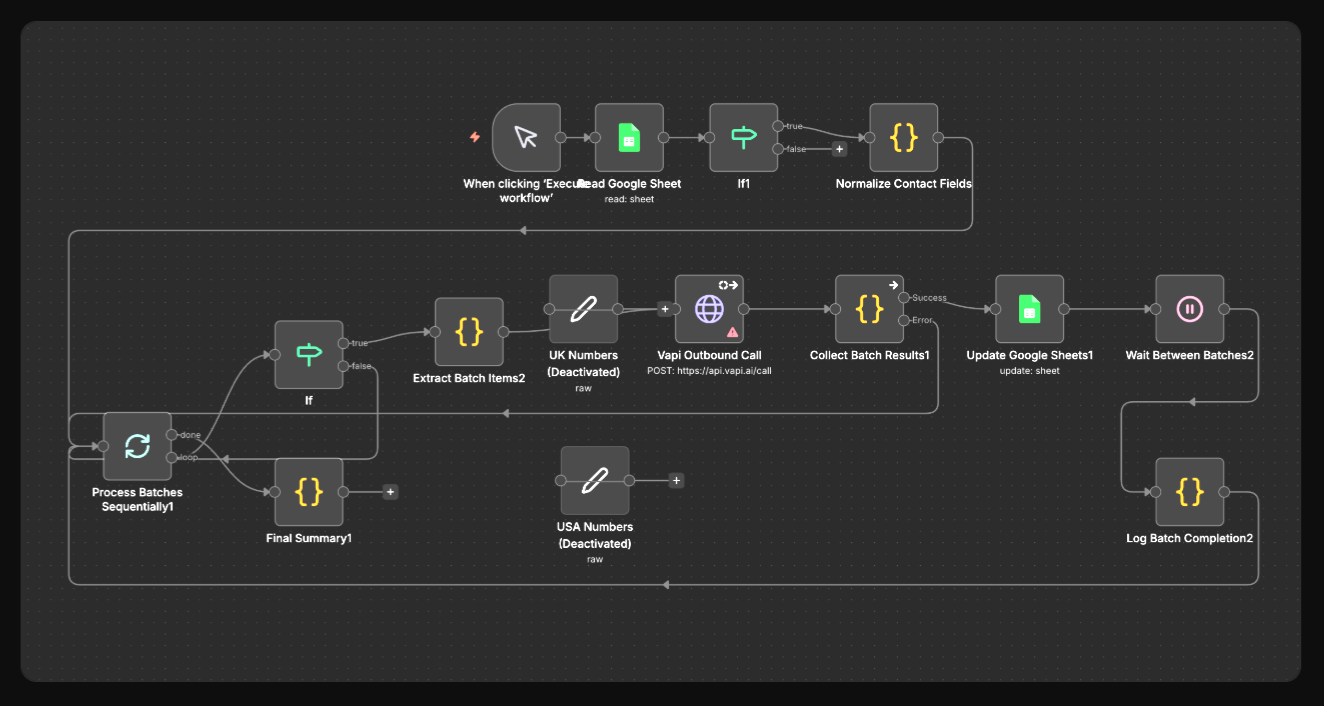
Discover how SaaS startups automate Stripe, HubSpot, Slack, and GitHub workflows to cut manual ops, reduce churn, and scale without adding headcount.
You built a product. Users are signing up. Revenue is trickling in. And yet somehow, a significant chunk of your week is still eaten up by tasks that feel like they should just happen automatically.
A new trial starts, someone manually sends a welcome email. A Stripe webhook fires on a failed payment, someone manually logs it in your CRM. A GitHub issue gets created, someone manually adds it to the Jira sprint. A customer hasn't logged in for 14 days, nobody notices until they churn.
This is the unglamorous reality of running a SaaS company or tech startup in 2025. The tools exist. The data exists. The integrations kind of exist. But the invisible glue holding everything together is still you, copy-pasting between tabs, writing one-off scripts, or paying enterprise prices for automation platforms that cap out before your workflows get interesting.
The good news: there is a better way. And it doesn't require a dedicated DevOps engineer or a five-figure Zapier bill.
In this post, we'll walk through the most common, and most costly, manual workflows at SaaS companies and tech startups, explain exactly how automation can solve them, and introduce a tool that growing teams are quietly using to replace the duct tape.
The Hidden Cost of Manual Ops at a SaaS Startup
Before diving into specific workflows, it's worth quantifying what manual operations actually cost a startup.
According to a 2024 survey by Productiv, the average SaaS company uses 130+ tools. For a startup with a team of 10–30 people, that number is typically 30–60 tools. Each of those tools generates data, triggers events, and requires action, and when they don't talk to each other natively, a human fills the gap.
Consider a single day's worth of manual tasks at a typical Series A SaaS company:
- A sales rep manually copies new inbound leads from a form into HubSpot
- A customer success manager exports a CSV from Mixpanel to find users who haven't activated a key feature
- A developer checks Slack, then Jira, then GitHub to understand what's blocking a release
- A finance ops person reconciles Stripe payouts against their accounting software by hand
- An onboarding specialist sends a "Day 3 check-in" email to new trials, manually, one by one
None of these tasks are hard. All of them are essential. And collectively, they consume hours every day that should be spent on building product, closing deals, or helping customers succeed.
This is what workflow automation solves, not by replacing your team, but by handling the connective tissue between your tools so your team can focus on the work that actually moves the needle.
1. User Onboarding and Trial Activation Workflows
User onboarding is the most critical, and most commonly broken, workflow at any SaaS company. Research from Wyzowl consistently shows that 55% of users have returned a product because they didn't fully understand how to use it. For SaaS, that means churn before the first invoice.
The problem: Most teams have onboarding intent but not onboarding systems. They have a welcome email in Intercom or Customer.io, maybe a product tour in Appcues, and an onboarding checklist buried in the app. But what they don't have is a connected workflow that responds to what a user actually does, or doesn't do.
What automation looks like here:
Activation milestone tracking. When Segment (or your own event tracking) fires an event like `feature_activated` or `first_report_created`, a workflow can automatically update the user's record in HubSpot, add them to a "activated" segment in Customer.io, and post a Slack notification to the CS team: "User [name] just hit the activation milestone, great time to reach out." No manual monitoring. No spreadsheet.
Trial day-based branching. On Day 1, send a personalized setup guide. On Day 5, check Mixpanel: has the user logged in at least 3 times? If yes, send an upgrade prompt. If no, trigger an in-app message and alert their CSM. This kind of conditional, data-driven onboarding sequence requires branching logic that most simple automation tools can't handle, but workflow automation platforms built for developers can.
Slack-to-Notion onboarding tracker. Every time a new trial starts, automatically create a row in your Notion onboarding tracker, pull the user's company from Clearbit, and post a summary to your #new-signups Slack channel. Your whole team stays informed without anyone doing anything manually.
These workflows aren't magic, they're logic. But they require a tool that can handle conditional branches, multiple integrations, and real-time triggers simultaneously.
2. Trial-to-Paid Conversion and Churn Prevention
Converting trials to paid customers and retaining them afterward is the entire game in SaaS. Yet most teams manage this with a mix of gut feel, manual Mixpanel exports, and heroic individual effort from their CS team.
The problem: By the time a CSM notices a customer is at risk, it's often too late. The signals were there, declining login frequency, unused features, a support ticket that went unresolved, but they were scattered across three tools and nobody had time to synthesize them.
What automation looks like here:
Churn risk scoring and alerting. Build a workflow that runs nightly: query Mixpanel for users whose session count dropped by more than 50% week-over-week, cross-reference against their Stripe subscription status (are they on a paid plan?), and if both conditions are true, create a task in HubSpot assigned to their CSM with a priority flag. The CSM wakes up to a pre-populated task list, not a spreadsheet to analyze.
Trial expiration workflows. Three days before a trial expires, automatically check the user's product usage data. If they've hit the activation milestone, route them to a conversion-focused email sequence. If they haven't, route them to a re-engagement sequence with a short extension offer. This kind of fork-in-the-road logic is exactly where simple "if this then that" automation falls short, and where n8n-style workflow tools shine.
Failed payment recovery. Stripe fires a `invoice.payment_failed` webhook. Within seconds, a workflow can: update the customer record in HubSpot to "payment issue," pause their account in your app via API, send a personalized payment failure email through Customer.io, create a task for your billing team in Linear, and log the event to a Google Sheet for finance ops. All automatically. All in under 30 seconds.
3. Developer and Engineering Team Workflows
Engineering teams are, ironically, often the worst offenders when it comes to manual workflows. Not because they can't automate, they absolutely can, but because every internal automation is a one-off script that only one person understands, lives on someone's laptop, and breaks every time the API changes.
The problem: Dev teams spend enormous amounts of time on workflow overhead: triaging GitHub issues, updating Jira, posting release notes, managing PagerDuty alerts, and keeping stakeholders informed. These tasks are important. They're also largely automatable.
What automation looks like here:
GitHub-to-Linear/Jira ticket sync. When a bug is reported via a GitHub issue with a specific label (e.g., `bug:critical`), automatically create a corresponding ticket in Linear or Jira, assign it to the on-call engineer, set the priority based on the label, and post a summary to #engineering in Slack. No more "did someone create a Jira ticket for that?" conversations.
Automated release notifications. When a GitHub release is published, trigger a workflow that: posts a formatted changelog to the #product-updates Slack channel, creates a Notion page with the release notes, updates the version number in your internal Notion wiki, and optionally sends an email digest to customers who've opted in to release notes. What used to be a 20-minute manual process becomes zero minutes.
On-call and incident automation. When PagerDuty triggers an alert above a severity threshold, automatically create a war-room Slack channel, invite the relevant engineers, post the alert details, link to the runbook in Notion, and create a timestamped incident log. When the incident is resolved, automatically post a summary and schedule a post-mortem task. This is table-stakes incident management, but most teams are still doing it manually.
4. Customer Success and Billing Operations
Customer success teams and finance ops sit at the intersection of the most data-rich and most tool-fragmented parts of a SaaS business. They're often working with 5–7 tools simultaneously and manually syncing data between them constantly.
The problem: CSMs spend too much time on data entry and not enough time on actual customer success. Finance ops spends hours reconciling Stripe data against accounting software that should just sync automatically.
What automation looks like here:
Health score updates. Build a workflow that runs every 24 hours, pulls product usage data from Mixpanel, support ticket volume from Intercom, and NPS scores from Delighted, calculates a composite health score, and updates a custom field in HubSpot. Now your CRM reflects reality, not the state of things from whenever a CSM last manually updated it.
Contract renewal reminders. 90, 60, and 30 days before a contract renewal, automatically check the customer's health score. High health score? Create a task for the CSM to have an expansion conversation. Low health score? Create a task for a rescue call, flag it in Slack, and add it to the at-risk accounts report. The right action at the right time, based on data, not calendar reminders someone manually set.
Stripe to accounting sync. When Stripe processes a payment, automatically create a corresponding record in QuickBooks or Xero, tag it with the appropriate revenue category (new business, expansion, renewal), and update a running revenue dashboard in Google Sheets or Notion. What takes a finance ops person 2–3 hours per week becomes a real-time, always-accurate sync.
5. Why SaaS Teams Are Choosing n8n Over Zapier and Make
At this point, you might be thinking: "We already have Zapier for this." And for simple, two-step automations, Zapier is fine. But SaaS workflows are rarely simple. They involve conditions, loops, error handling, custom code, and multi-step chains that push Zapier to its limits, and its pricing to uncomfortable heights.
This is where n8n comes in.
n8n (pronounced "n-eight-n," short for "nodemation") is an open-source workflow automation platform that gives technical teams the flexibility of custom code with the speed of a visual, no-code builder. Here's what makes it different:
It's built for complexity. Unlike Zapier, which is optimized for simple linear workflows, n8n supports branching logic, loops, error handling, and sub-workflows natively. You can build the kind of multi-condition, multi-step automations described in this post without hitting artificial limits.
It's open source and self-hostable. If you want to run n8n on your own infrastructure, your AWS account, your Kubernetes cluster, your VPS, you can. This matters for SaaS companies handling customer data, where sending that data through a third-party cloud automation service creates compliance and security concerns. With n8n, your data never has to leave your infrastructure.
The pricing makes sense at scale. Zapier charges per task. Once your automations are running hundreds or thousands of tasks per day, which happens fast when you're automating onboarding flows and webhook processing, the bill becomes significant. n8n's cloud pricing is task-based too, but its self-hosted option has no per-task fees at all.
It has 400+ integrations, including custom HTTP nodes. HubSpot, Stripe, Slack, GitHub, Jira, Intercom, Linear, Notion, Mixpanel, PagerDuty, Customer.io, Segment, Clearbit, they're all there. And for any tool not in the library, the HTTP Request node lets you call any API directly, with full support for OAuth, API keys, and custom headers.
It supports custom code. Inside any workflow, you can drop in a JavaScript or Python function node to transform data, call external libraries, or handle edge cases that no visual tool could anticipate. This is the feature that wins over engineers who've outgrown purely no-code tools.
Many SaaS teams start by automating one workflow, say, Stripe webhooks to HubSpot, and within a month have 15–20 automations running across their entire stack. The compounding effect of getting the glue out of your brain and into a workflow engine is hard to overstate.
To explore how n8n can fit into your SaaS stack, visit n8nme.com, it's a dedicated resource for getting started with n8n, including templates, tutorials, and setup guides tailored for SaaS teams.
6. Where to Start: A Practical Roadmap for SaaS Automation
If you're convinced that workflow automation is worth investing in but aren't sure where to begin, here's a practical framework:
Step 1: Audit your weekly repetitive tasks. Spend 30 minutes with a blank doc and list every task you or your team does more than once a week that involves moving data between tools or sending a notification. Be specific: "Copy Typeform responses into HubSpot contacts" is more useful than "deal with leads."
Step 2: Rank by time cost and business impact. Some manual tasks take 5 minutes but happen 50 times a day. Others take 2 hours but only happen weekly. Prioritize the intersection of high frequency and high business impact, typically onboarding workflows and churn prevention.
Step 3: Start with one webhook. The fastest way to see the value of automation is to connect a webhook from a tool you already use. Set up Stripe to fire a webhook when a trial starts, and build an n8n workflow that posts a Slack message and creates a HubSpot contact. This takes under an hour and immediately shows your team what's possible.
Step 4: Document as you build. Unlike scripts on someone's laptop, n8n workflows are visual and shareable. Document what each workflow does directly in the tool so the next person on your team can understand, maintain, and extend it.
Step 5: Scale incrementally. Don't try to automate everything at once. Add one workflow per week. By the end of a quarter, you'll have a significant portion of your manual ops running on autopilot.
Start Automating Your SaaS Stack Today
Manual operations are a tax on your team's time, your product's momentum, and your company's ability to scale. Every hour spent copy-pasting data between tools is an hour not spent talking to customers, shipping features, or closing deals.
The workflows described in this post are not hypothetical, they are being run right now by SaaS teams who decided that the status quo wasn't good enough. They started with one automation, then another, and eventually built an ops infrastructure that scales with their product instead of against it.
n8n is the platform making this possible for hundreds of technical teams. It's open source, flexible, and built for the kind of complexity that real SaaS workflows demand.
Ready to start automating your SaaS workflows? Register for free for workflow templates, and a community of builders who are already using n8n to transform their operations. Your first automation is closer than you think.